![lumina learning logo rev white.png]](https://support.luminalearning.com/hs-fs/hubfs/lumina%20learning%20logo%20rev%20white.png?height=39&name=lumina%20learning%20logo%20rev%20white.png)
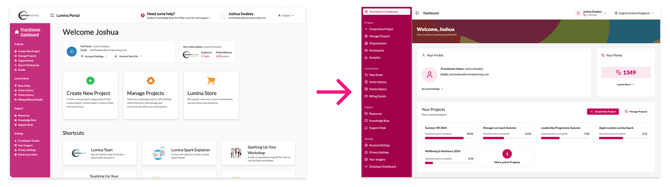
As a Lumina Learning Practitioner, you’ll notice a fresh look when you sign in to your Practitioner Dashboard. This update is part of a wider project to redesign and redevelop our Practitioner systems, which is explained in more detail in this article: https://support.luminalearning.com/new-practitioner-dashboard. The new dashboard provides a home for our new Participant Data management tool, which allows you to manage participant data within your account.
Participant Data Management
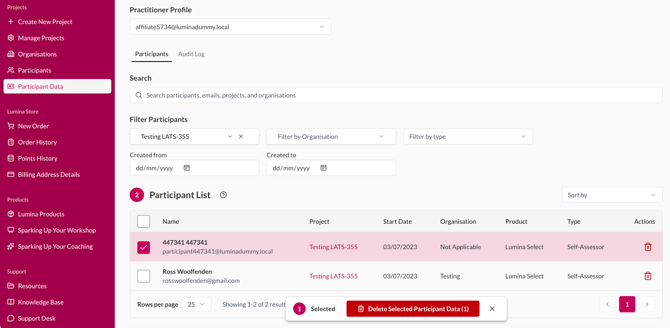
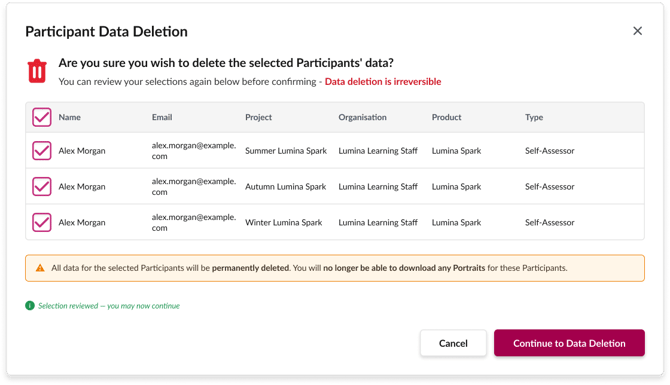
The new Participant Data Management tool allows you to search for, view and delete participants from your projects. Previously, you needed to contact Lumina Learning to request manual data deletion. You can now manage these requests yourself using the tool.
One important point must be made very clear:
Participant data deletion is irreversible!
We’ve added warning messages and verification steps to help reduce the risk of accidental deletion. Please review your selections carefully before deleting any data.
How does it work?
Use the tool to search for participants and filter by project and organisation. You can delete participants individually or select multiple participants for bulk deletion.
If a participant has multiple data items, such as different Portraits across different projects, you can select specific items to delete.
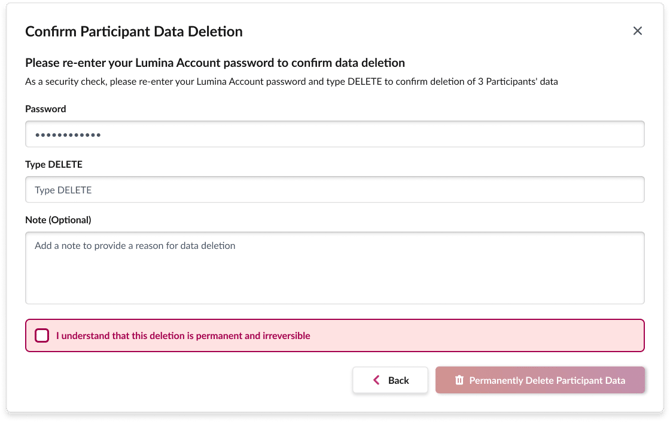
After confirming your selections, you must complete a final verification step:
- Enter your password.
- Type DELETE.
- Select the checkbox to acknowledge that data deletion is irreversible.
The deletion button becomes active only after you’ve completed all these steps. These checks help reduce the risk of accidental deletion, but you should still review your selections carefully before proceeding.
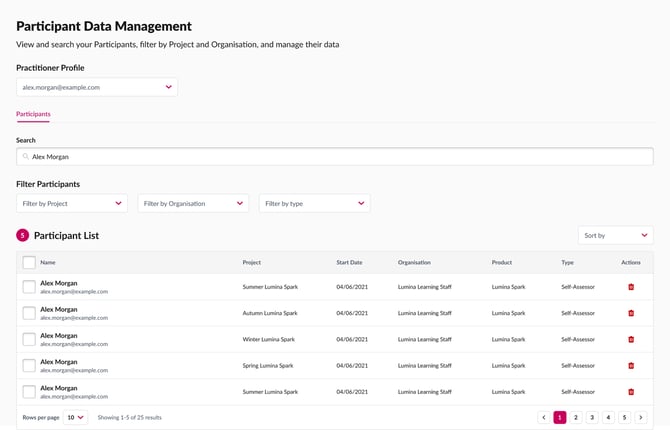
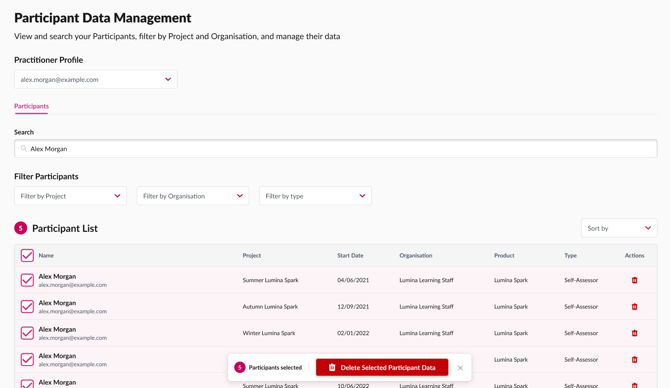
We hope this tool gives you greater control over the participant data you manage as a Practitioner.